Vibe Coding Week 1 Log: 15 Lessons from a Non-Developer Building a 10-Language Game Site with Claude Code
I’m a non-developer who can’t write code. As I explained in Why I Built Vibe Lab, this site started when I was using Claude AI to make learning games for my kids.
From now on, once a week, I’ll write a log like this one about what I built with vibe coding that week and the trial and error along the way. This first one covers November 6 to 12, starting from the day I first launched the site.
Week 1 at a glance
- Site: the thevibelab.net domain, 10 languages (Korean, Japanese, English, Traditional and Simplified Chinese, Malay, Spanish, Vietnamese, Thai and Indonesian), more than 650 pages
- 2 games: Korea Hidden Pictures (21 places, 204 words) and Hangul Word Search (229 words, levels 1–5)
- Travel posts from places I actually visited: the Amsa-dong prehistoric site, Seoul Forest, Seokchon Lake, Hwadam Forest and Konjiam
- Automation: a “content agent” that turns my photos into 3 game scenes and then into posts in 10 languages, plus an Apps Script that logs search-indexing status to a spreadsheet every day
- Scrapped: 3 games
Judging by the results, it might look like everything went smoothly. In reality, it was one long cycle of making mistakes, deleting things and building them again. I wrote down every bit of trial and error, hoping it helps anyone about to start vibe coding — especially people who, like me, know nothing about development.
How a non-developer vibe codes
I didn’t write any code myself. My job was to describe things in words, look at the screen, and ask for fixes.
- I describe what I want in plain words. For example: “Draw the Seoul Forest floor fountain as a hidden-picture scene.”
- Claude Code writes the code and pushes the changes to GitHub.
- I check the preview and say, “Change this part like so.”
- When I’m happy, I merge the PR, and Cloudflare Pages updates the live site in 1–2 minutes.
I kept what was done and what was left in a Google Sheet, and every time I started a new conversation I’d say “Let’s do our homework,” so the AI would check that list first.
1. A domain typo, right from the start
On day one, when buying the domain, I accidentally bought thebivelab.net before thevibelab.net. The v and the b got swapped. Domains aren’t refundable, so I just turned off auto-renewal and let it expire after a year.
Lesson: Before you hit the payment button, read the address out loud, one letter at a time.
2. I deleted the first 2 games I made
At first I made a “Reaction Speed Test” and a kids’ song rhythm game called “Pongdang Rhythm.” They came together so quickly that I got excited, changed the design and even added the lyrics to Arirang — but when I looked again, they were games you could find anywhere. I deleted both and set it up so anyone visiting the old addresses gets sent to Hidden Pictures.

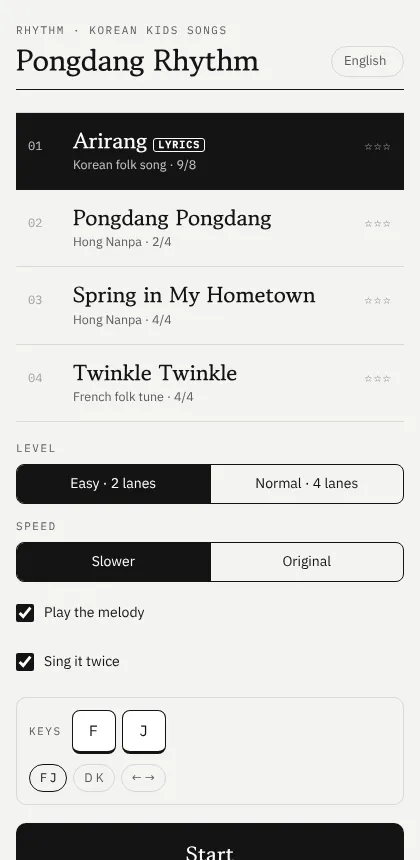
Lesson: With vibe coding, things are as easy to delete as they are to make. Not hanging on to something just because it felt like a waste turned out to be good for the quality of the whole site.
3. I changed the site’s theme within a day
The theme I first picked was “a vibe coding making-of.” But once I’d built Hidden Pictures, “discover Korea through games” felt much more like us. The very next day I changed the homepage title and the whole list of posts. (That’s why the making-of now lives on as side posts like this one.)
4. Hidden Pictures: from emojis to real drawings
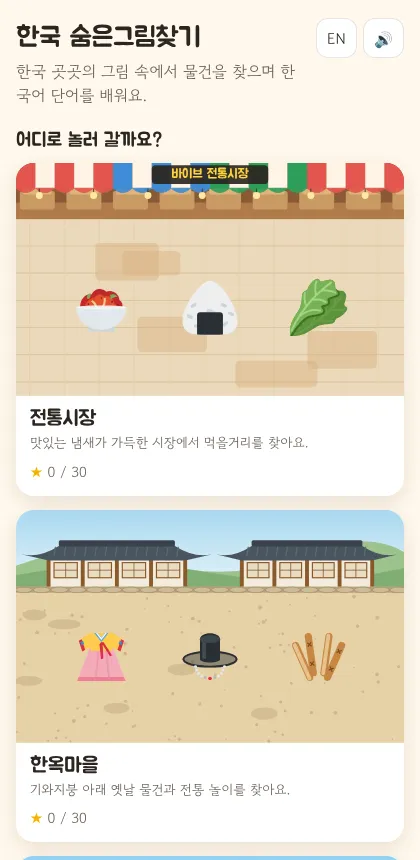
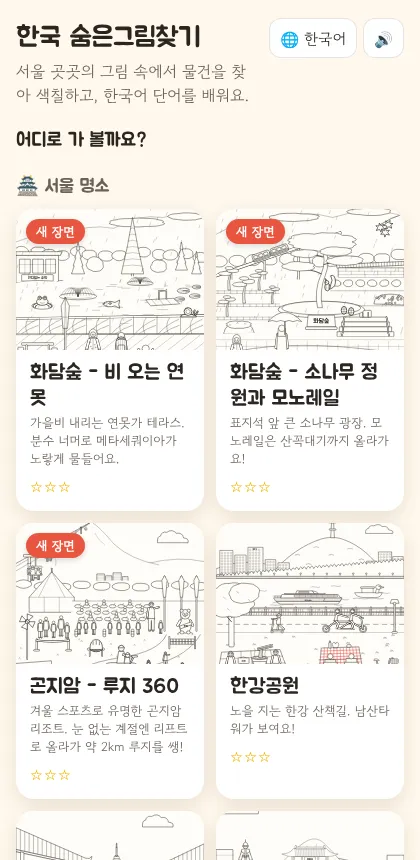
The first version of Hidden Pictures hid emojis on top of a picture. It looked too flimsy, so I rebuilt it so that you find objects in a line-drawn scene and they fill with color — and that became Vibe Lab’s signature game.
5. AI drawings don’t match the real places (my battle for accuracy)
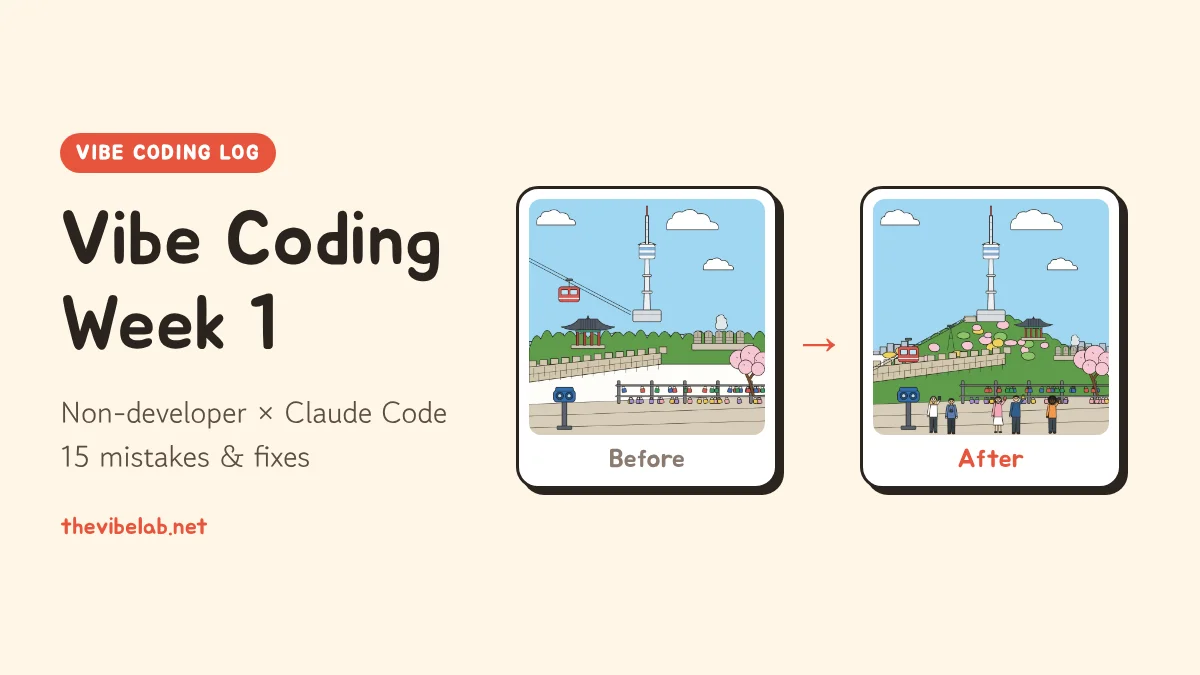
The scenes the AI drew looked convincing at a glance, but to anyone who’s actually been there, lots of things were off.
- N Seoul Tower stood at the foot of the mountain instead of on top.
- The city below Bukchon Hanok Village was drawn like a river.
- Customers in a restaurant were sitting in mid-air with no chairs.
- To match the real view of the Seokchon Lake cherry blossom scene, I flipped it left to right — which only made it stranger, so I flipped it back and just moved Lotte World Tower.
- At Seokchon Lake, people walk and run in one direction only, counterclockwise, but the people in the drawing were running every which way.
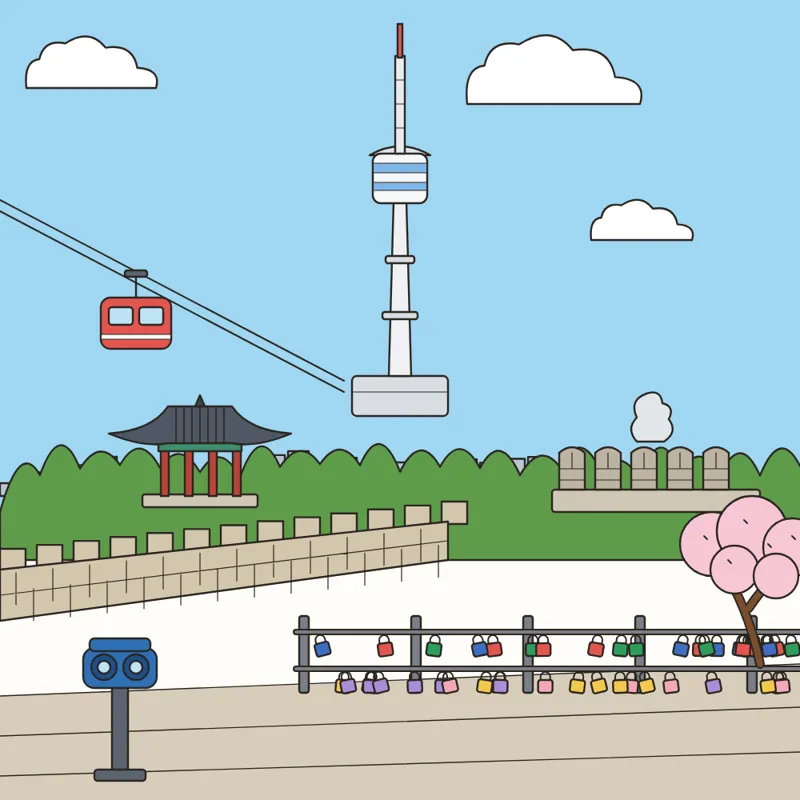
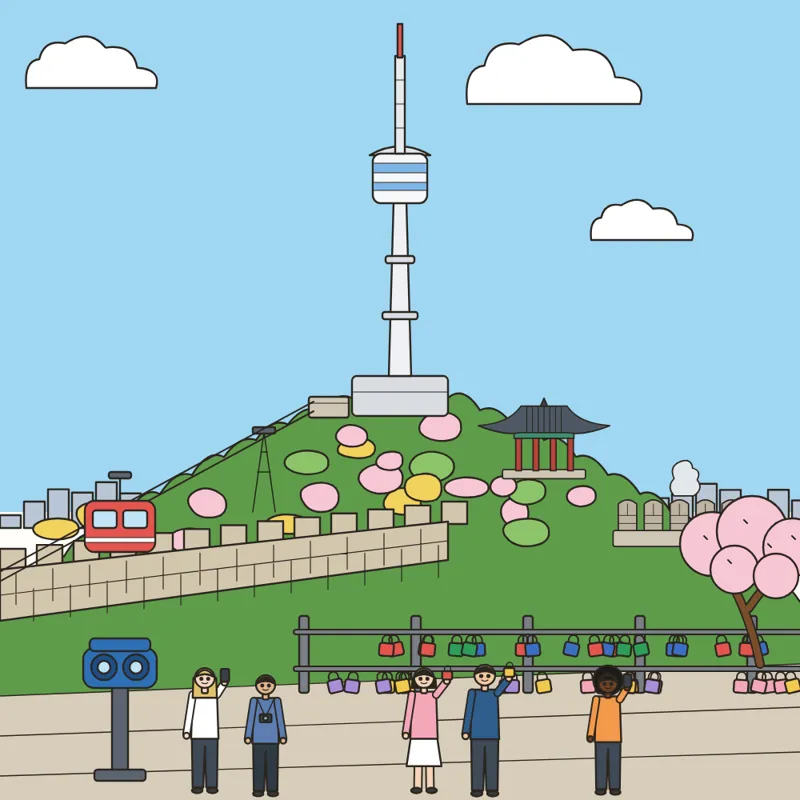
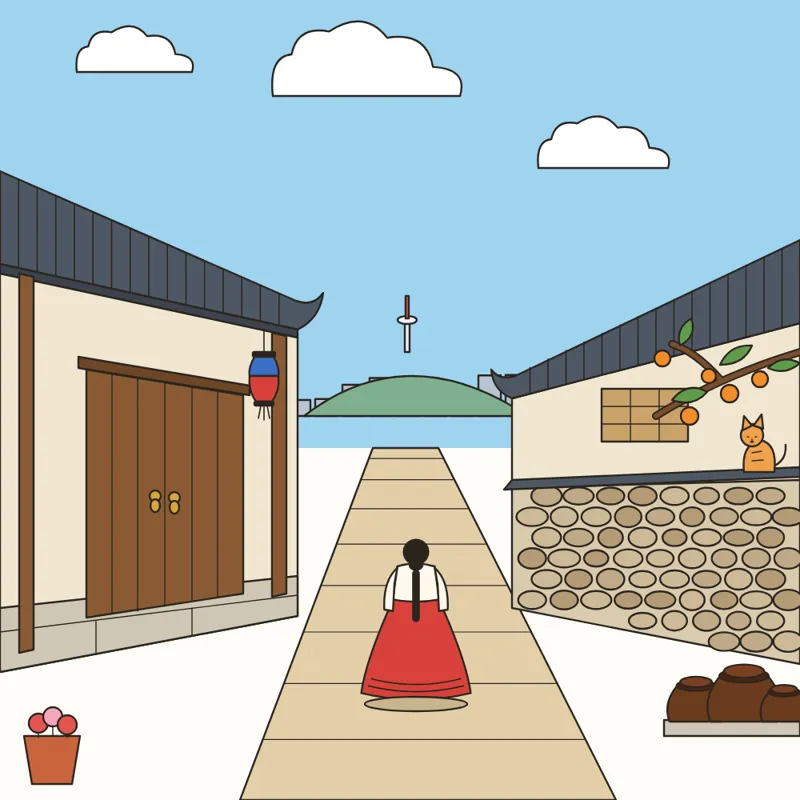
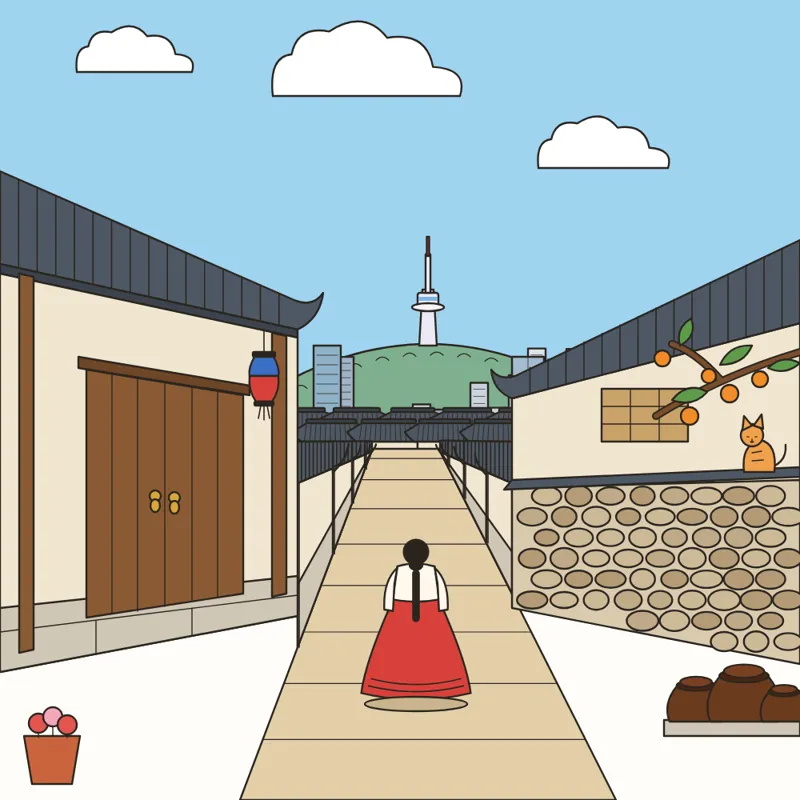
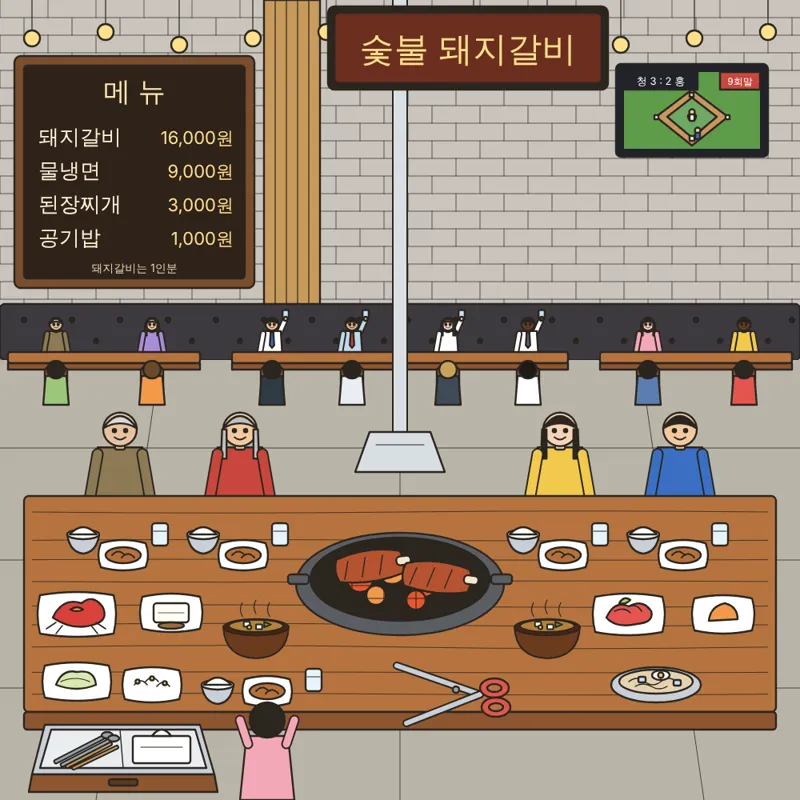
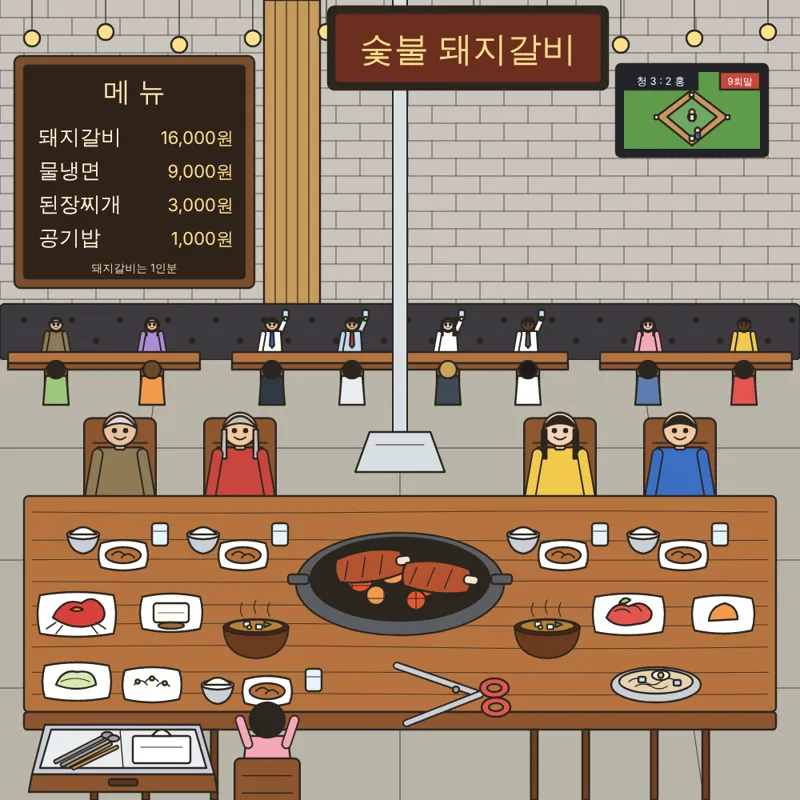
There was only one fix. I showed the AI photos I’d taken myself and corrected things one at a time: “Draw the chair backs,” “Everyone running should go the same direction.” I went through several rounds like this for every place, and whatever I learned while fixing them went into separate notes for each place, to be used for the next drawing.
6. I deployed, but the old game kept showing up
I uploaded the fixed game, but the site kept showing the old one. The browser had saved the game files and was reusing them. I solved it by adding a caching rule so the game files check for a new version every time.
7. The tilde (~) turned into strikethrough
I wrote the floor fountain’s hours as “12:00~17:00,” and the text showed up with a line through it. In Markdown, two tildes are the strikethrough symbol. The AI doesn’t warn you about this kind of thing in advance, so the only way to catch it was to look at the screen myself.
8. Problems that only happen on phones
Everything was fine on my PC, but there were lots of problems on phones.
- The site’s top menu covered the top of the game and the “Found it!” notification.
- If you swiped down on the Hangul Word Search start screen, the screen bounced up and you couldn’t press the Start button.
- The 🔤 emoji I’d put on an app card showed up as “abc” on iPhones.
Lesson: Always tap through any screen you vibe-coded on your own phone.
9. I scrapped a third game, too
I made a falling-block puzzle called “Hangul Word Rain,” where you join pieces of Hangul to make words, but when I played it, it was hard and not much fun. It hurt, but I put it on hold and made “Hangul Word Search” instead. With a time limit, levels 1–5, 229 words and example sentences read aloud, it became today’s second game.
10. The game changed, but the intro post didn’t
As I kept fixing the game drawings for accuracy, the game intro posts I’d written at the start no longer matched the actual game. A post would say “Find the call bell and the scissors,” but those objects had disappeared from the drawing. I noticed later and redid the text and 15 screenshots.
Lesson: When you fix something, fix the text, photos and screenshots that describe it, too.
11. What happened as I grew to 10 languages
Starting with Japanese, then Traditional and Simplified Chinese, Malay, Spanish, Vietnamese, Thai and Indonesian, the site reached 10 languages in a week. AI translation is fast, but some parts couldn’t be used as-is.
- For Chinese, I polished Taiwan-style Traditional Chinese and Singapore/Malaysia-style Simplified Chinese separately.
- For Spanish, I went with Latin American wording (celular, computadora).
- In the Malay and Indonesian versions, I clearly labeled pork and alcohol for Muslim readers.
- The game title font didn’t have Vietnamese tone marks, so I set a separate font.
12. A mistake with search indexing
In Google Search Console, I put 4 page addresses instead of a sitemap file into the “Sitemaps” box. That box is only for sitemap files — individual pages are requested through “URL Inspection” at the very top.
13. Automation didn’t work on the first try, either
I first built automatic IndexNow notifications — which tell Naver and Bing about new pages — with GitHub Actions. But I wanted to see the results right in my spreadsheet, so I rebuilt it in Google Apps Script. On the first notification, the Bing endpoint was blocked with a 403 error, so I switched to a different endpoint (api.indexnow.org) and that fixed it.
14. Conflicts from working on several things at once
I had several conversations with the AI open and working at the same time, and a page layout changed in one ended up overlapping with a feature built in another, so they couldn’t simply be merged. Now I finish any work that changes the big structure one at a time before moving on.
15. A different “Vibe Lab” with the same name
When I searched Google for “thevibelab,” the AI Overview was mixing Vibe Lab up with other sites that share the name. So I clearly wrote “who makes this site, and how” on the About page and in the information for search engines.
What I learned after one week
- You can build things without knowing how to code. But deciding “what to build” and “is this right?” was up to me.
- AI is fast, but checking that it’s right is the human’s job. Especially drawings of real places and phone screens — you have to see them yourself.
- Keeping records is your best weapon. Once I wrote down what was done, what was left and the rules, the AI repeated the same mistakes less often, even in new conversations.
- You also need the courage to delete. Scrapping 3 games let me focus on the ones that are left.
The games that came out of all this trial and error are Korea Hidden Pictures and Hangul Word Search — give them a try. I’ll be back next week with my Week 2 log.