Vibe Coding Week 3 Log: Korean Exam Prep, a Map and 21 Languages for People Coming to Work in Korea — a Non-Developer’s Story
This is my third-week log, following my Week 2 log. This week covers November 19 to 25.
If week one was about setting up the site and week two was about taking on a lot at once, week three was the week it became clear who I’m building for. Rather than listing everything, this time I picked out just the key points: the trend in numbers, three things I built this week, three bits of trial and error, and what I’ve learned after three weeks.
Week 3 results: the trend in numbers
I compared the numbers from Google Analytics, grouping each week into 6 days. I wanted to see the trend rather than exact numbers.
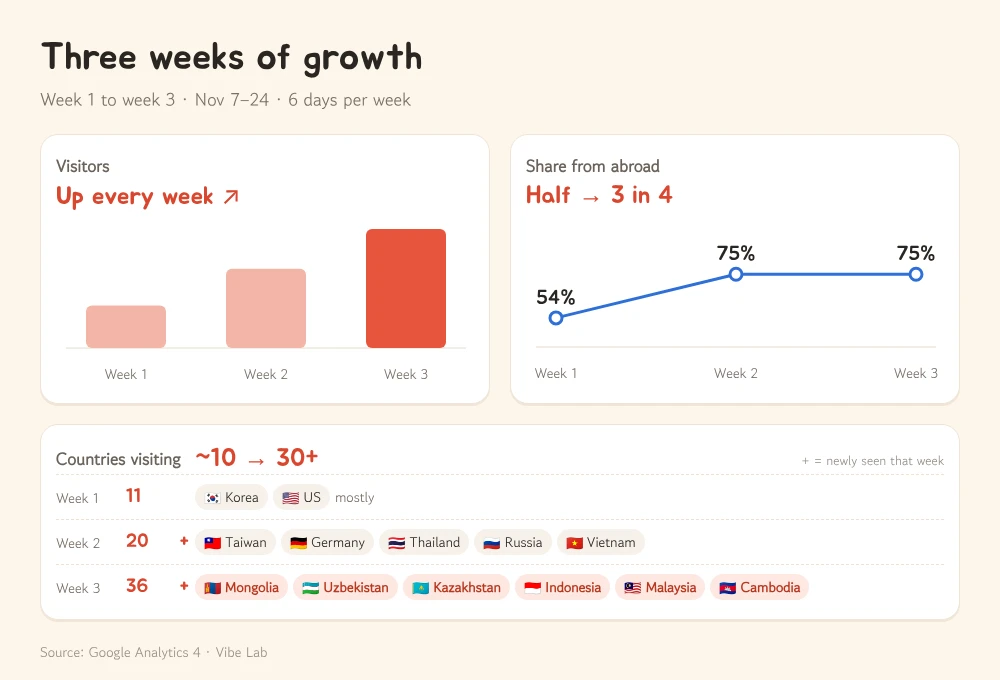
- Visitors: It’s still a small site, but the numbers went up steadily, without missing a single week.
- Share of visitors from abroad: In week 1 about half my visitors came from outside Korea; from week 2, 3 out of 4 come from abroad.
- Countries visiting: about 10 → 20 → over 30. In week 1 it was mostly Korea and the US, and in week 2 Taiwan, Japan, Germany and Thailand started to appear. In week 3 visits from China, Taiwan, Japan and Singapore went up, and many countries I’d never seen before showed up, like Indonesia, Malaysia, Cambodia, Uzbekistan, Kyrgyzstan, Kazakhstan and Mongolia. One or two people at a time started coming from the countries whose languages I added this week and from countries where lots of people come to Korea to work.
Week 3 vibe coding: who am I building for?
The first decision this week was about languages. The reason I added Mongolian was simple.
“It seems like a lot of Mongolians really like Korea and come here. When I was in the hospital a while ago, I even shared a room with a Mongolian person. So I’d like Mongolians to be able to learn Korean easily too.”
When I asked about the next language, the AI recommended Uzbek. Its reason: many Uzbeks live in Korea, and many take the EPS-TOPIK (the Korean test for the Employment Permit System), but there are almost no study materials in their own language. Hearing that changed my direction — from “people from other countries who like Korea” to “people from other countries who come to Korea to work.”
As I built, I realized “people from other countries” aren’t one group either. Here are some of the things I said:
- “People learning Korean and people preparing for an exam have different goals / so for conversation, focus on situations and words used often in everyday life … for the exams, include as much as possible of what has come up or could come up on that exam.”
- “Materials used by Korean teachers in Korea explain things in Korean, but materials used by foreign teachers abroad seem to need explanations in that country’s language.”
- “It’s not the perspective of foreigners living here — it’s the perspective of foreigners visiting for a short time.” (when building the map)
Even with the same “Korean,” learners, test takers, teachers and travelers all wanted different things. Once I told the AI this up front, the results changed dramatically.
Three things I built this week
1. The Exam prep menu
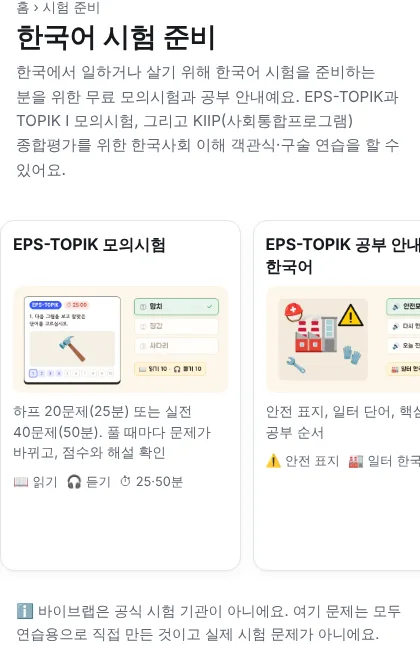
I created a new menu called Exam prep. It covers three exams people take to work or live in Korea.
- EPS-TOPIK: the test you take to come to Korea to work. I wrote new questions using the question types released by HRD Korea (Human Resources Development Service of Korea) as a reference. There’s a bank of 149 questions, half and full mock tests, and practice by question type.
- TOPIK I: the beginner level of the best-known Korean proficiency test. I put in 150 questions.
- KIIP (Korea Immigration and Integration Program): the assessment taken by people from other countries who want to live in Korea long term. I made practice for the pre-test, mid-term test and final assessment.
- Each exam also comes with a vocabulary list (240 TOPIK I words, 240 EPS-TOPIK words, 320 KIIP words) and printable PDFs.
I followed the AI’s recommended order: EPS-TOPIK → KIIP → TOPIK. The reason was that the languages of EPS-TOPIK test takers almost completely overlap with Vibe Lab’s languages, while TOPIK already has plenty of materials and tough competition.
2. 21 languages, and materials for teachers
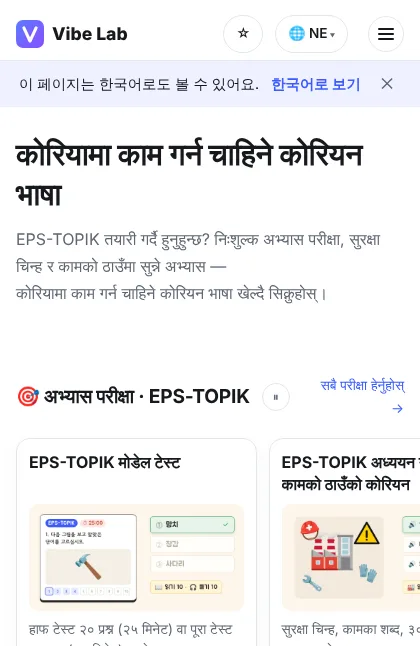
I also added languages with a focus on countries where lots of people come to Korea to work. Mongolian and Uzbek got the whole site, while Nepali, Khmer (Cambodia), Burmese (Myanmar) and Tagalog (the Philippines) went in mainly for the exam prep pages. That took me from 15 languages to 21.
I also made a page called For Korean teachers for the people who teach Korean to these learners. I organized materials by level so teachers at multicultural family centers and migrant worker support centers in Korea, and at King Sejong Institutes and EPS training centers abroad, can pick them up and use them right away. The Korean version is written in Korean for teachers in Korea, and the other language versions are written in each country’s language for teachers there. There’s also a box where you can request materials you need.
3. The Vibe Lab Map
I often see people from other countries lost in front of the transit card top-up machines in subway stations. Once, I even helped someone myself. The machines support Korean, English, Chinese and Japanese, but this traveler came from a country where they didn’t know any of those four.
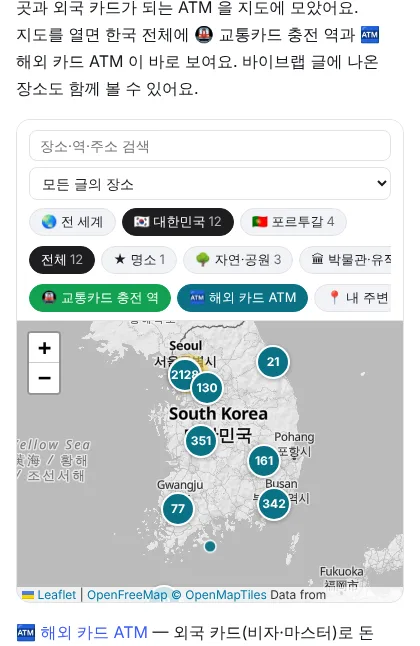
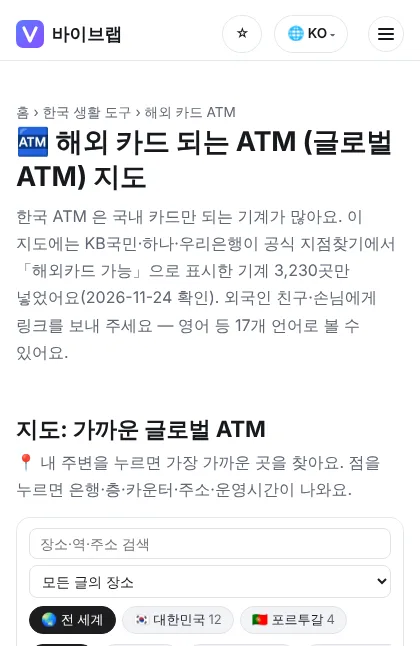
So I wrote a post that shows how to top up using only pictures, no words, and built the Vibe Lab Map. Right now it has 585 stations where you can top up a transit card and 3,230 ATMs where you can withdraw cash with a foreign card. When I first asked for the map, all I said was “a map view that can be used worldwide” and “it has to be free.”
“That map is like a sketchbook, and now I’m going to decorate that sketchbook.”
Three bits of trial and error
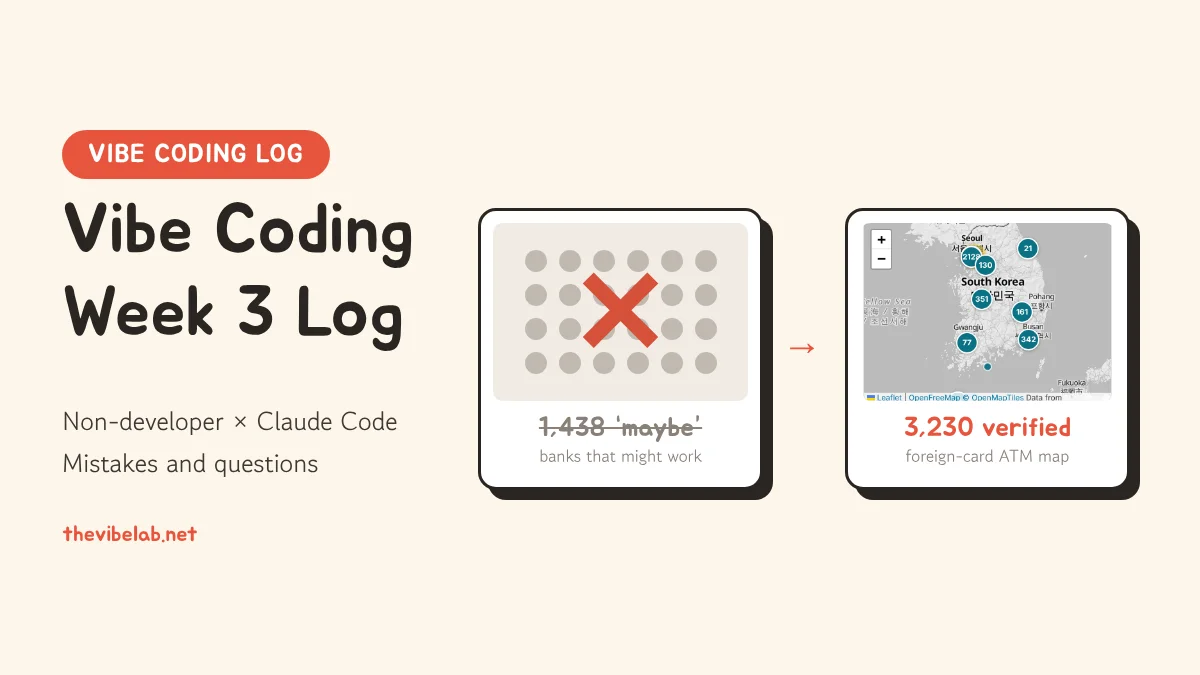
1. “Maybe isn’t good enough” — I deleted 1,438 places from the map
This is what I remember most from this week.
I wanted to add more things travelers look for to the map, and decided to start with ATMs that take foreign cards. The AI quickly pulled 1,438 bank branches from open map data. But something felt off, so I asked:
“These are ATMs where you can withdraw cash with a foreign card, right?”
The AI’s answer was “No.” It hadn’t checked them one by one; they were “bank branches likely to have an ATM that takes foreign cards.” Many Korean ATMs only take domestic cards, and whether a foreign card works depends not on the bank but on each individual machine.
“Maybe isn’t good enough. It has to be accurate. I can’t send foreigners on a wasted trip.”
So I deleted all 1,438 places. Instead, I recollected only the places where each machine is marked “foreign cards accepted” in the official branch finders of KB Kookmin, Hana and Woori Bank. Excluding places with restricted access and staff-only machines, that’s 3,230. I separately corrected 8 inside Incheon Airport whose coordinates were off by more than 700 m. I didn’t use a dataset that listed some 10,000 convenience store ATMs as “available” all at once, because much of it didn’t match reality.
Lesson: Always ask “Is this really right?” about data the AI collects. It will tell you honestly if you ask, but if you don’t, a “maybe” ends up on the map looking like a “definitely.”
2. A stranger told me about a bug in my game
I took Hidden Pictures to Reddit, where lots of people from other countries learning Korean gather. Then, in a Korean-learning community, a user left a comment. Along with “As a Korean beginner, I am sooo happy I finally found exactly what I wanted,” they pointed out a problem: “I often use the computer, and in the word search I can’t choose words with only one character.”
They were right. The 31 one-syllable words, like 귤 (tangerine), 곰 (bear), 꽃 (flower) and 별 (star), couldn’t be found by dragging across the squares. Neither the AI nor I had noticed. I fixed it right away so that a single tap on the square finds the word, then told the AI, “Give me something in English so I can comment that it’s fixed,” and replied with a thank-you.
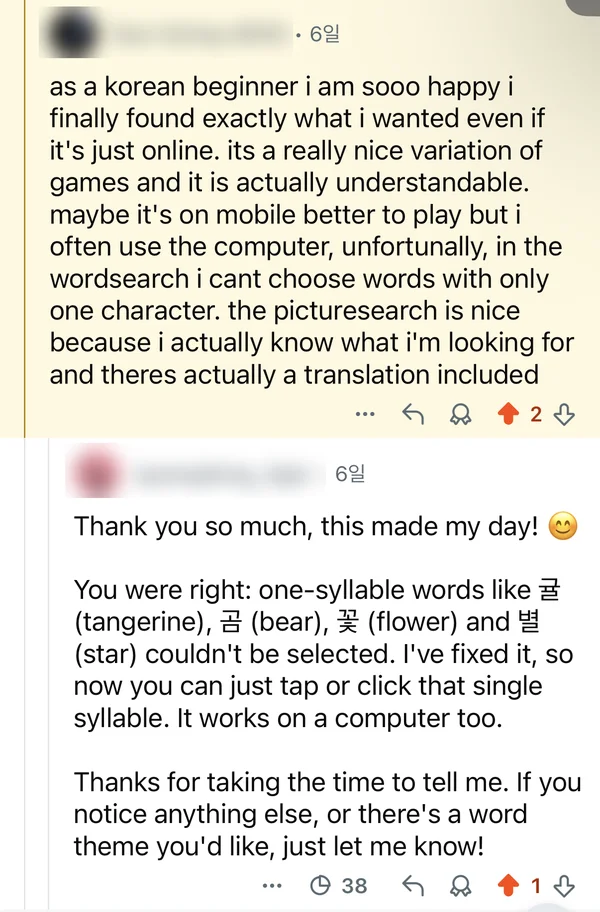
It was the first time a stranger played my game and told me what to fix.
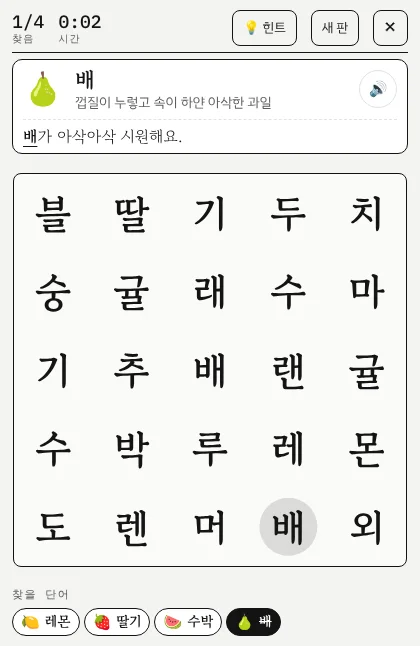
Since then, every page on the site has a “Notice something wrong?” box at the very bottom that you can fill in without logging in.
3. Say it as a “principle” instead of fixing one picture at a time
The conversation games in levels 8–11 of Learn Korean have more than 300 conversation scene illustrations. As I played them, I got confused because the same person had a different face in each question. So I said:
“I think the new employee and the new person who came today should have the same face so it’s not confusing. And put the person who speaks first on the left. The left-side rule is the principle for every image with a conversation.”
With that one sentence, 339 scenes were redrawn at once. The same role gets the same face, the person who speaks first is on the left, and “me” is on the right. I also sorted out the “me” label: “Make it clear by putting ‘me’ in the middle of the upper body, not floating like a speech bubble.”
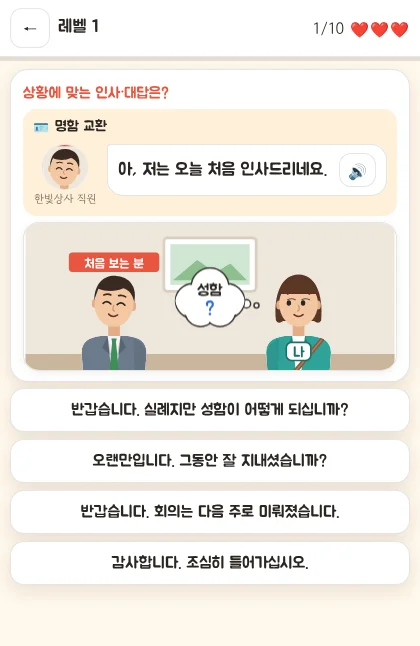
Lesson: Rather than saying “fix this one” for each picture, if you say it as “the principle for every picture,” the AI applies it to all of them.
What I learned after three weeks
Indexing: I had to ask three times before I got it
Honestly, I asked the AI about “indexing” more than three times. That’s how hard the idea was for me to grasp. For anyone as confused as I was, here’s how I understand it.
Think of Google as a huge library.
- Visiting (crawling): Google’s robot librarian travels around the internet looking for new books (pages).
- Indexing: The librarian reads the book and adds it to the library catalog. Only books in the catalog can come up when someone searches.
- Ranking: Being in the catalog doesn’t mean the book goes on the front shelf. Which shelf it goes on is decided separately.
So if a page isn’t indexed, it doesn’t show up in search at all. Only people who already know the address can get there. And for pages that are too short or nearly the same as another page, the librarian may say, “I read it, but I won’t add it to the catalog,” and move on.
The “request indexing” I kept doing was like telling the librarian, “A new book just came in — please take a look.” When I checked this week, 1,643 of Vibe Lab’s 1,712 pages (96%) were in the catalog.
I tacked on everything I wanted, so I cleaned it up once
Exams, the map, languages, games… I kept adding things as they came to mind, so the same content overlapped in several places and the screens got cluttered. The home page had 6 rows that scrolled sideways, and on a phone you had to scroll a long way to reach the end of the Learn Korean page.
“With so much content now, the UI and UX seem to have gotten complicated. Can you recommend ways to make it more intuitive and simple?”
I reordered the menu, cut the home page down to 4 blocks, and folded the 21 languages at the bottom of the screen into a single button. Instead of splitting the games off from Learn Korean, I made it recommend one related game to play once you finish a level.
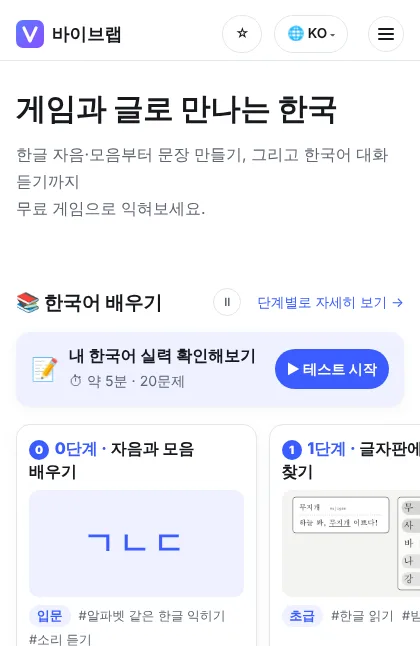
Getting feedback and choosing, rather than giving orders
This is what struck me most this week. Until now, I used Claude by giving one-way orders — “do this” — rather than asking for its opinion. But looking back at what went well this week, those were the times I first got Claude’s feedback, chose from it, and added my own ideas.
- Exam order: I asked, “Recommend how I should go about it,” and got the order EPS-TOPIK → KIIP → TOPIK with the reasons. On top of that, I suggested adding Nepali, Khmer, Burmese and Tagalog.
- Adding languages: I asked, “What should I do after Uzbek?”, and the answer was, “Let’s pause adding languages for a while.” Every new language multiplies the work by 17. So instead of languages, I added more exam materials.
- Cleaning up the screens: I showed my plan first — “It’s just a plan for now, but review it for me” — and it pointed out that levels 1–11 of Learn Korean are all games, so taking the games out would leave only level 0. So I changed “taking them out” to “recommending them.”
When I give orders, things only get built as far as I already know. When I ask, I see paths I didn’t know about — and choosing among them is still up to me.
Things still in progress
I couldn’t write about all of it here, but there are more things I’m trying at the same time.
- Email: a feature that sends a 3-minute Korean lesson by email every day
- The map view project: filling in the sketchbook-like map one piece at a time
- Content automation: easier ways to post my blog posts to places like Naver
- Automatic feedback collection: a flow that gathers the “something wrong” notes visitors leave and fixes them right away
Once they’ve come along a bit, I’ll share them separately. You can see what I built this week in Exam prep, the Vibe Lab Map and For Korean teachers. I’ll be back next week with my Week 4 log.