My First Game, on the Third Try: How a Non-Developer Vibe-Coded Korea Hidden Pictures with Claude Code
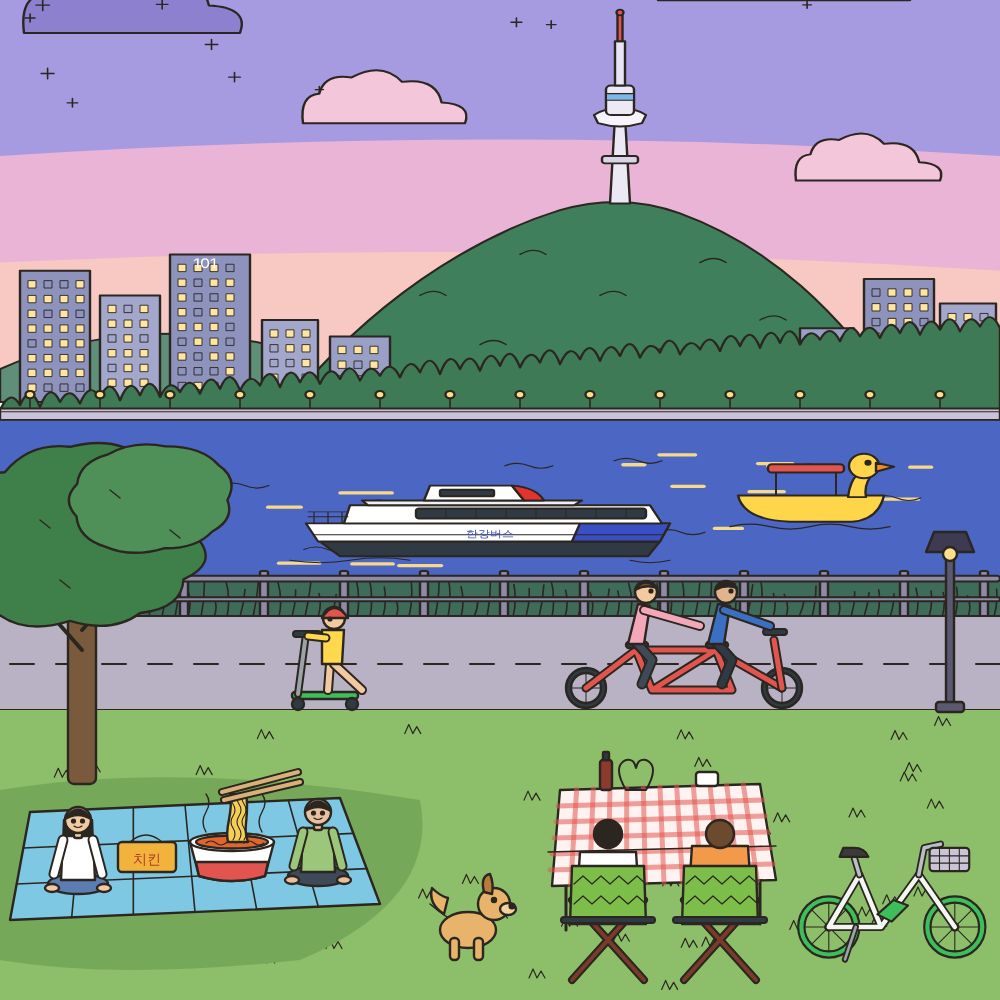
I’m a dad in Seoul who can’t write a single line of code. Yet the first game on this site, Korea Hidden Pictures, was built entirely by describing what I wanted to an AI.
It’s my first game — but it took me three tries to get there. Before it, I built two other games with AI and deleted both. This is the story of how those two failures led to my first real game: the games I threw away, the version of Hidden Pictures I threw away too, the drawings that got Korea wrong, and how it slowly became something I’m proud of.
First, what is “vibe coding”?
Vibe coding means you don’t write code yourself. You explain what you want in plain words, the AI writes the code, you look at the result and say “change this part.” Then you repeat — many, many times.
My setup is simple:
- Claude Code writes the code and draws the scenes.
- GitHub keeps every version. When I’m happy with a change, I press a merge button.
- Cloudflare Pages puts the new version online in 1–2 minutes.
I never open a code editor. My job is to decide what to build and to check whether it’s right.
Attempt 1 and 2: games that worked, but didn’t matter
When I opened the site on November 6, the first thing I made was a Reaction Speed Test: the screen changes color, you tap as fast as you can. The AI built it in minutes. It worked perfectly.
The next day I made a second game, Pongdang Rhythm, a rhythm game played to Korean children’s songs. I got carried away: I changed the design, added rhythm-game key settings, a moving background for each song, and even the folk song Arirang with its lyrics, pronunciation and translations in several languages.

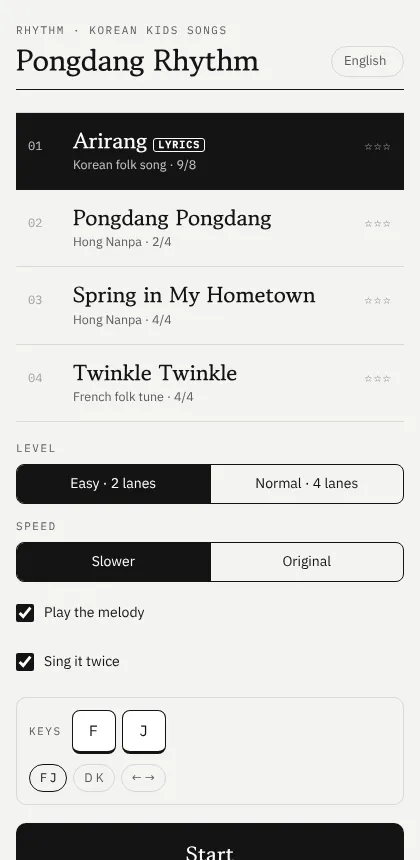
Both games ran fine. That was exactly the problem. Looking at them again, I asked myself: “Why would anyone play this here, instead of one of the thousands of games just like it?” I didn’t have a good answer. They weren’t about anything I knew better than anyone else.
So on November 8, I deleted both, and anyone who visits their old addresses is now sent to Hidden Pictures.
This is the part of vibe coding nobody warns you about. When building is this easy, making something isn’t the hard part anymore. Deciding what is worth making is. Those two games took minutes to build, and minutes to delete — but they taught me what to look for in the third one.
Attempt 3: finally, my first game
After those two, I asked a different question: what can I make that only someone like me would make? I’m a dad in a family of four living in Seoul. I see ordinary Korean life every single day.
I’d already been asking Claude to make small learning games for my kids, and a hidden-picture game felt like something both kids and adults could enjoy without reading a word.
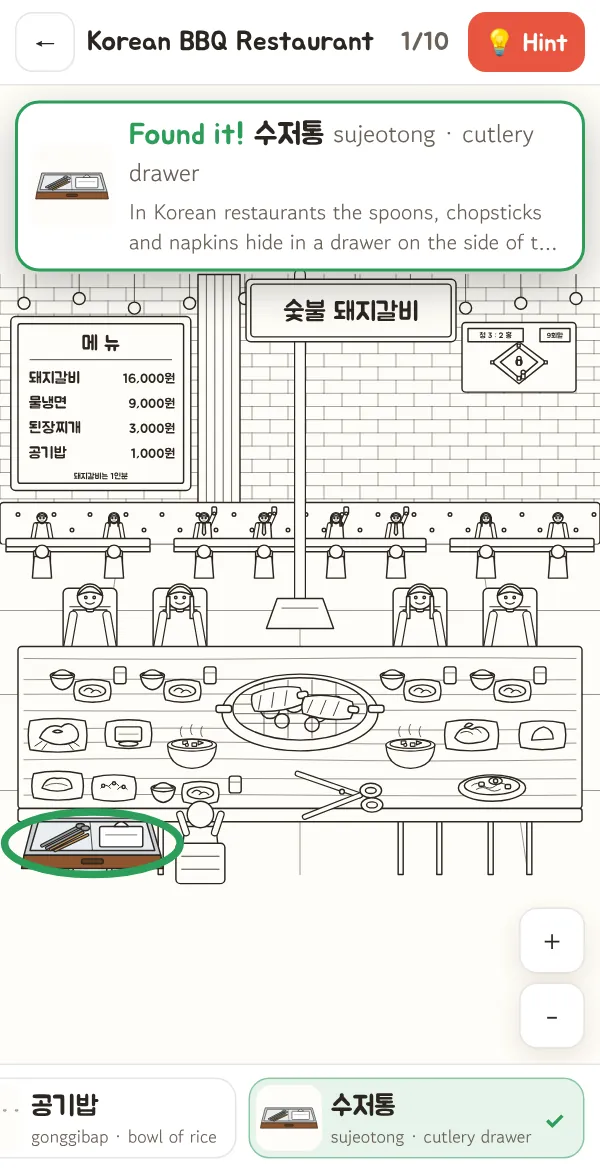
At the same time, I kept noticing visitors from abroad in my neighborhood — at BBQ restaurants, in convenience stores, on the subway. Korea has lots of small everyday things that Koreans never think to explain. A classic example: at many Korean restaurants, the spoons and chopsticks aren’t on the table. They’re in a drawer built into the side of the table (수저통, sujeotong). If nobody tells you, you just sit there looking around.
So the idea was: draw ordinary Korean places, hide these everyday objects in them, and teach the Korean word for each one as you find it. Something my kids would enjoy, and something that gives people abroad a small taste of daily life in Korea before they come.
Day 1, version 1: emojis on a picture
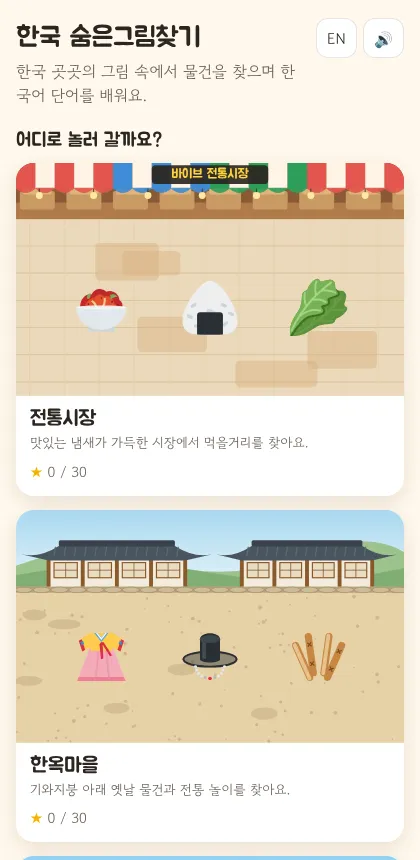
On November 7 — the same day as the rhythm game — I described the idea to Claude Code. By that evening I had a working game: 5 places, 10 levels each, 60 Korean words with pronunciation, an English meaning, hints and a word book.
It worked — but the “hidden” objects were emojis placed on top of a picture. A tomato emoji at a market, a hanbok emoji in a hanok village. It felt like a quiz app, not a place you could step into. After two deleted games, I recognized that feeling right away: this could be anywhere.
Same day, version 2: line drawings that fill with color
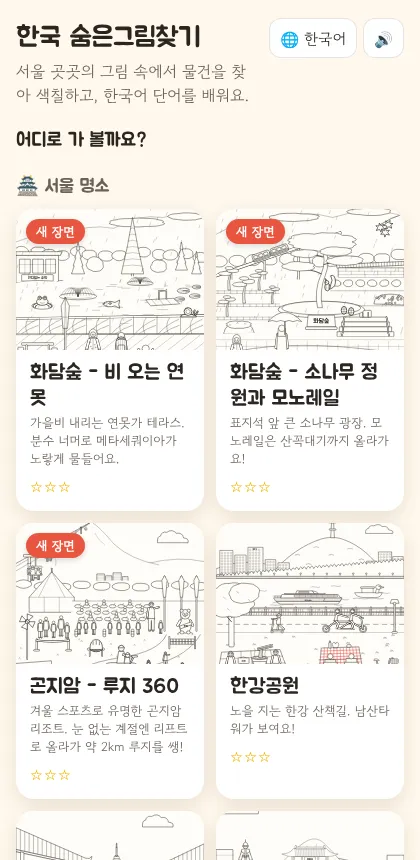
That same day I asked for something different: a whole scene drawn in black lines, where every object you find fills with color. When you find everything, the entire picture bursts into color.
This one change made the game. Finding something now feels like a small reward, and by the end you’ve “painted” the whole place yourself.
The AI draws each scene as an SVG — a picture made of code, so every cup, sign and person is a separate shape the game can color in. I started with 5 scenes (a Han River park, Bukchon Hanok Village, Gwanghwamun Gate, Myeongdong and a pork rib BBQ restaurant), and later that night added 7 more: Namsan, Gwangjang Market, a convenience store, the subway, a pork belly BBQ place, a bunsik snack bar and a Korean-Chinese restaurant.
One decision I’m glad I made early: every menu and sign in the drawings is written in Korean. Reading “돼지갈비 16,000원” (pork ribs, 16,000 won) in the game is practice for reading it in real life.
The hardest part: the AI didn’t know what Korea looks like
The drawings looked fine at a glance. But anyone who has actually been to these places would notice something was off:
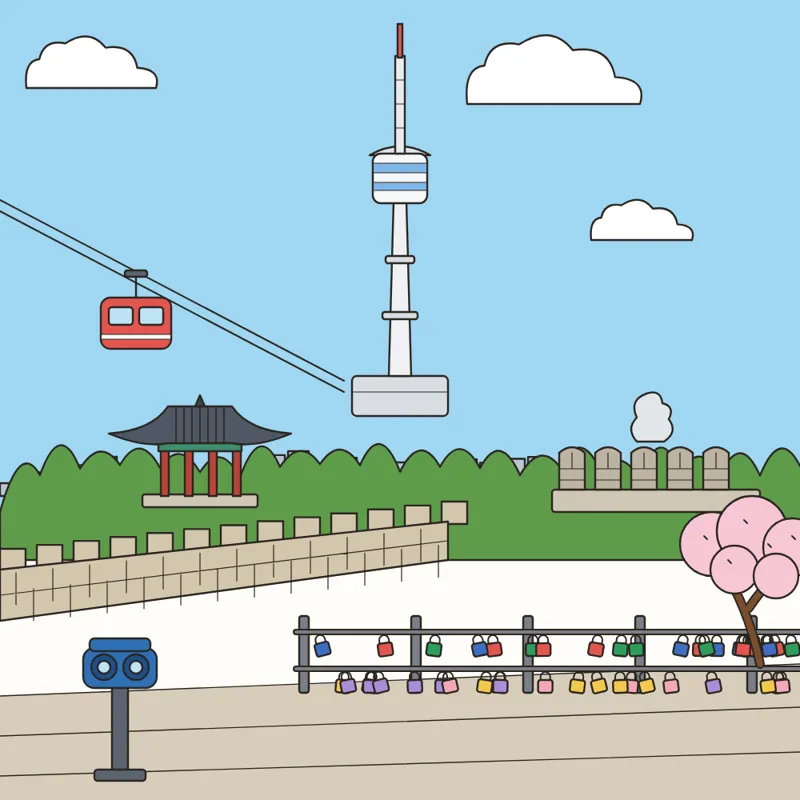
- N Seoul Tower stood on flat ground. In real life, it’s on top of Namsan mountain — that’s the whole point of it.
- The city beyond Bukchon Hanok Village was drawn as a light blue band that looked like a river.
- The customers in the BBQ restaurant were sitting in mid-air, with no chairs.
- At Seokchon Lake, people walk and jog in one direction (counter-clockwise), but the people in the drawing were running every which way.
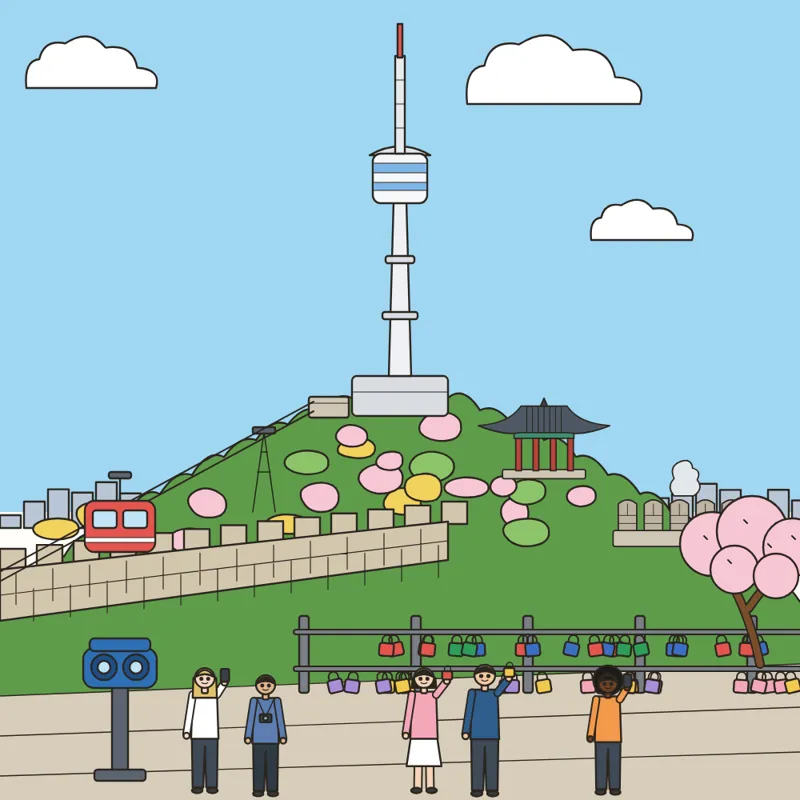
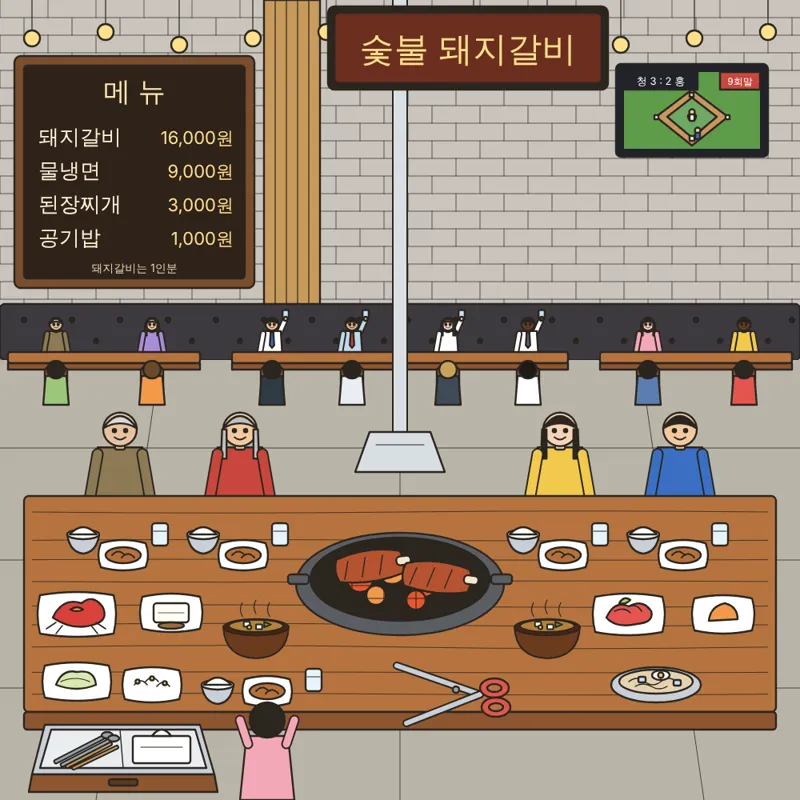
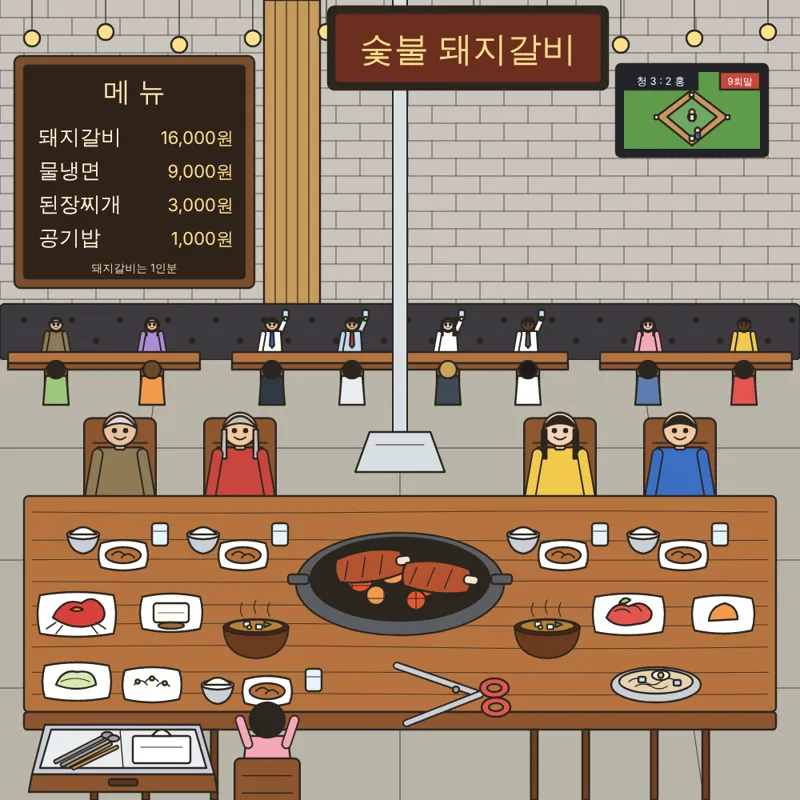
Describing the problem in words only got me so far. What really worked was showing the AI photos I took myself. A good example is Hangang ramyeon — instant noodles you cook yourself with a machine at convenience stores in Han River parks. The AI drew a normal bowl of ramen. I sent my own photo, and it redrew it properly: a wide, low paper bowl (white with a red stripe), orange soup, and curly noodles lifted with chopsticks.
Every time we fixed a place, the facts went into a notes file for that place (“runners go counter-clockwise,” “the tower is on the mountain”), so the next drawing started from the right information.
From my photos to new scenes
After a few days I noticed a pattern: I’d visit a place with my family, take photos, and then want to turn it into a scene. So I asked Claude Code to turn that into a routine — I call it my “content agent.”
I send my photos and a few lines about the visit. The agent then:
- Removes location data from the photos, blurs faces and adds a watermark.
- Draws 3 hidden-picture scenes based on the photos.
- Writes a blog post about the place, in every language the site supports.
Seokchon Lake in spring, Lotte World’s parade, the National Museum of Korea on a rainy day and a Seoul Marathon cheering spot all came from real family outings this way. That’s why the newer scenes feel much closer to the real places.
Making it a real way to learn Korean
A hidden-picture game is fun, but I wanted each find to teach something. Over the following days we added:
- Audio: every find reads the Korean word aloud.
- Romanization, meaning and a short note explaining why the thing exists in Korea — not just a label.
- Real photos on the “Found it!” card for 149 words, so you see the real object, not only a drawing. 10 are my own photos and the rest come from Wikimedia Commons with credit.
- Hints: the first hint circles the general area, the second shows the exact spot.
Bugs I would never have found without my phone
Everything looked fine on my computer. On a phone, it was a different story:
- The site’s top menu covered the “Found it!” message.
- After a new version went live, phones kept showing the old game, because the browser had saved the old files.
- The word sometimes didn’t play any sound on the first tap, and on iPhones with the silent switch on, there was no audio at all.
- On small screens, the “You found them all!” window hid the button to go to the next place.
The AI fixed every one of these quickly — once I told it they existed. It couldn’t see them by itself. Tapping through the game on my own phone is what caught them.
Where the game is now
Two weeks after that first evening, Korea Hidden Pictures has:
- 33 scenes: Seoul landmarks, day trips near Seoul, restaurants, a convenience store, the subway, workplaces like a factory and a farm greenhouse
- About 280 Korean words, each with audio, romanization, a meaning and a note
- 17 languages, from English and Japanese to Vietnamese, Spanish, Russian and Uzbek
- A version you can play right inside a Reddit post
Every single line of it was written by AI. None of it would look like Korea without a person who lives here checking it.
And unlike the reaction test and the rhythm game, it’s the one I’ve never once thought about deleting. It took three tries, but this is the one that stayed.
If you want to vibe-code your first game
- Expect your first games to be practice. My first two worked fine and still got deleted. That’s normal, and they showed me what I actually wanted to make.
- Ask “why would anyone play this here?” If the honest answer is “no reason,” build something only you could build. For me, that was everyday Korea through the eyes of a Seoul dad.
- Don’t be afraid to throw away version 1. Even Hidden Pictures’ first version lasted less than a day, and replacing it was the best decision I made.
- Give the AI real references. Photos beat long explanations every time.
- Check everything yourself, on a real phone. The AI is fast; deciding whether it’s right is still your job.
- Write things down. A simple list of what’s done, what’s next and the rules you’ve learned means the AI repeats fewer mistakes in the next conversation.
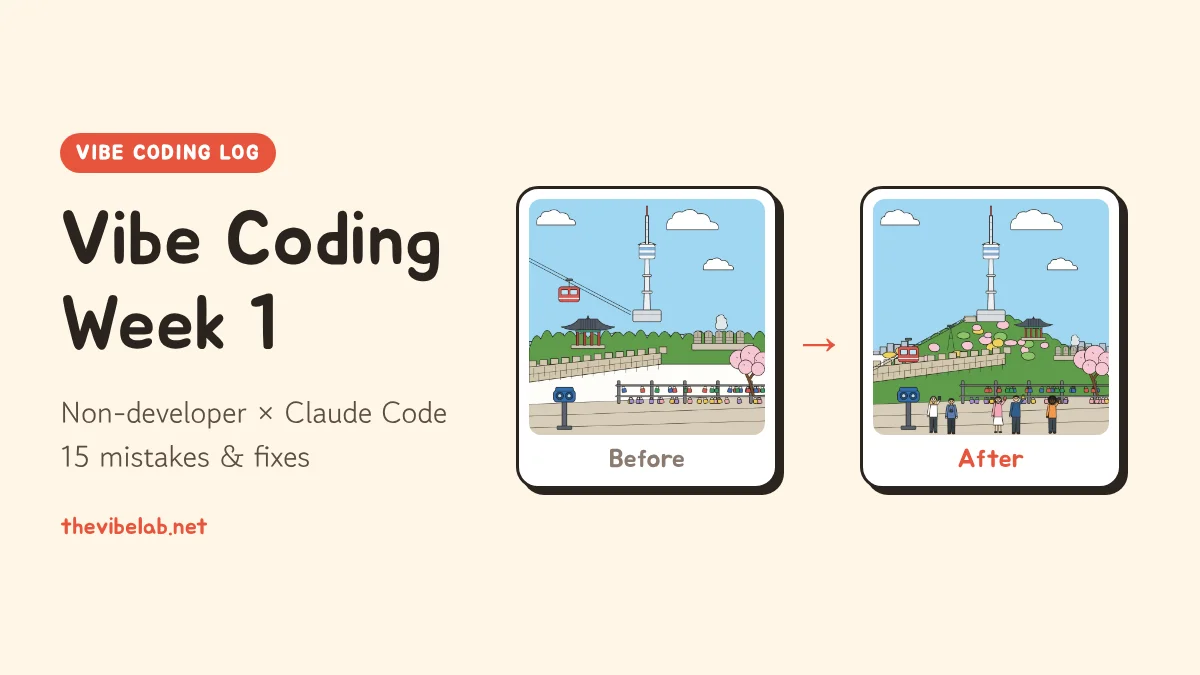
If you’d like to see how it turned out, open Korea Hidden Pictures — no download, no sign-up — and start by finding the cutlery drawer in the BBQ restaurant. For the full day-by-day trial and error, see my Vibe Coding Week 1 log.